Stop your content being copied? Not as simple as it seems ...
No technical solution will fully protect your images and text on your site: all the solutions offered here, as elsewhere, are easily bypassed.
It is therefore rather inadvisable to set up this kind of script, because it tends to drive away visitors who are not trying to steal your content, and it will not stop ill-intentioned people from taking your content.
The best way to discourage visitors from taking your images and reusing them on their sites is to add a watermark to the image before storing it online. That way, even if someone takes the image file to display it elsewhere, the watermark (for example, the address of your website) remains embedded in the original image.
JavaScript code to insert
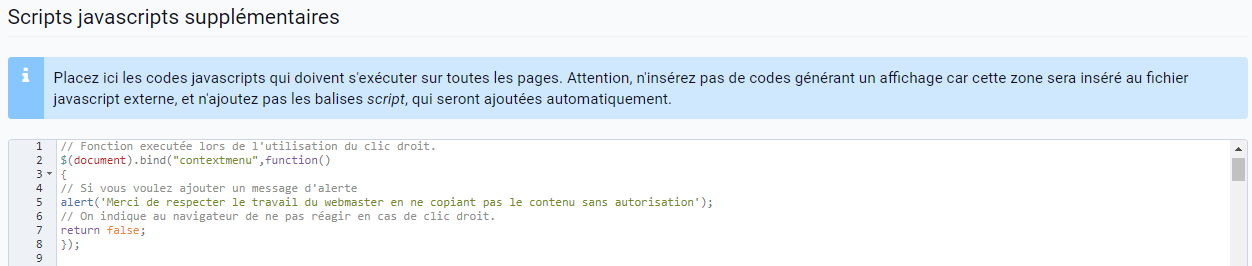
With JavaScript code, you can prevent right-clicking on your site. If your visitors want to take an image from your site, they will not be able to with the traditional right click. Once again, this is not the only way to take an image from your site.
This JavaScript code goes in the JavaScript editable zone of your site: Additional JavaScript scripts, in the editable zones of the settings of your manager. This part of the manager is only available from the Pro version.
// Function run when the right click is used.
$(document).bind("contextmenu",function()
{
// If you want to add an alert message
alert('Please respect the webmaster\'s work by not copying the content without permission');
// Tell the browser not to react to a right click.
return false;
});
All that is left is to save, and you can now check that the right click is disabled on your site.