
What is a sitemap? What is it for?
Literally, the sitemap is the plan of your site. More precisely, it is a file that lists the addresses of all the pages of your site in a structured way. Presented like this, it lets the robots of search engines read the content efficiently.
Where is the sitemap?
The sitemap is at the root of your site. There is nothing to install or activate in your manager: it is created automatically! To view it, go to your site and type /sitemap.xml at the end of the URL of your site.
For example, if the address of your site is http://my-site.emyspot.com, the sitemap can be viewed at http://my-site.emyspot.com/sitemap.xml
Even more simply, if you want to know the address of the sitemap of your site, open the Sitemap page in the SEO settings of your manager and scroll to the bottom of the page. You will find the sitemap of your site there (or the sitemaps if you have activated several languages).

Is it necessary to edit your sitemap?
You do not need to edit your sitemap: it is generated automatically when your site is created (exactly like the robots.txt file). As soon as you add a page, its address is added to the sitemap and search engine robots can pick it up to index it.
It can, however, be useful to edit your sitemap to exclude pages or to give priorities and update frequencies for the pages to index. Be careful: this is an advanced use of the tool, reserved for experienced webmasters. Please note that once you edit your sitemap manually, it is no longer updated automatically. When you add a page, a post or any other content to your site, you will have to add it to your sitemap manually.
Also, if you make a mistake (making the file invalid), search engines can no longer use the sitemap, which could harm your SEO. But don't worry, it is very easy to restore the automatic sitemap!
How do you edit the sitemap?
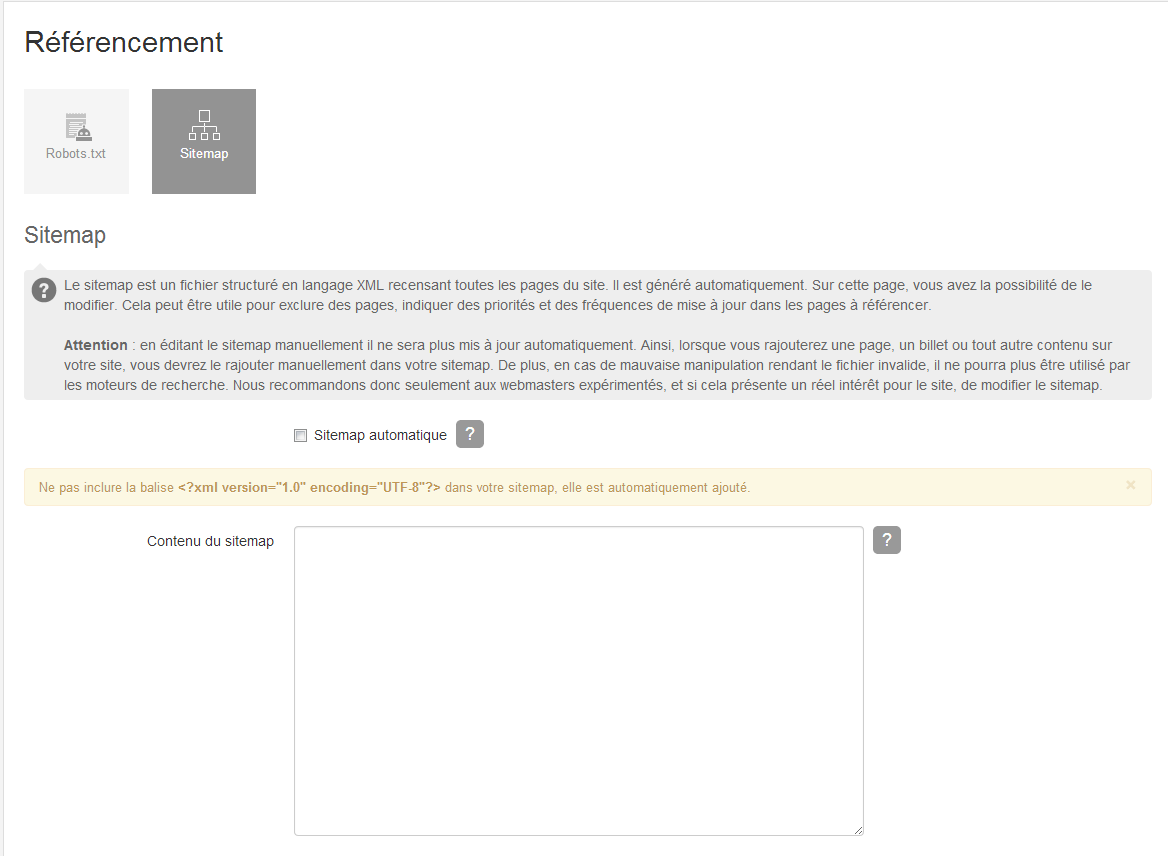
If you want to edit your sitemap, go to the SEO settings of your manager and click Sitemap. Untick the Automatic sitemap box. Then add the links of your choice, using the correct encoding.
How do you restore the original sitemap?
To restore the original sitemap (the one generated automatically by emyspot), go to the SEO settings of your manager and click Sitemap. Tick the Automatic sitemap box again, then save.

Exclude a page from the sitemap
It can be useful to exclude a page from the sitemap. This option is at the bottom of each page, in the SEO optimisation section. To exclude a page from the sitemap, for example, go to the page management of the Pages add-on, click "Edit", then at the very bottom, in the "SEO optimisation" section, tick the "Exclude from sitemap" box.
This option is available on sites with the Pro, Business or E-commerce version.

Submit the sitemap of a site to Google
We recommend using Google's webmaster tools. It is a free service that offers different tools to follow the SEO of your site and fix the errors reported by Google's robots. With Google webmaster tools, follow the health of your site!
To use the webmaster tools, you must submit your sitemap to Google. If you have not done so yet, verify your site on Google Search Console, sign in and click Add property. In Google Search Console, then go to Sitemaps and click Add a new sitemap. Paste the address of your sitemap and save.
To learn more about creating sitemaps, see Google's help centre resources on the subject.